The Operating System for Racquet Sports Coaching.
For players
Your next game, at your level, without the group chat.
When your club runs on RacquetIQ, the player app shows today’s session, the slot you play every week and the open games at your level. Your rating stays in your own sport.
Your sport
10 racquet sports, each with its own rating. Pick yours and the examples on this page follow it.
Open games at 3.0 today
Sample- 5:00 pm, Court 1, Singles1 spot open
- 6:30 pm, Court 4, Doubles2 spots open
Playing should be the easy part.
The court is booked. The game is one player short.
Is the clinic still on? Scroll the group chat and guess.
Your rating in one app, the booking in another, the club’s notices in a third.
With RacquetIQ, your club puts all of it on one screen.
Your day, on one screen.
Open the app and the day is laid out: the session you’re booked into, with directions, and the slot you play every week.
Your usual slot, in one tap
Book this week’s usual time or skip it. Nothing is charged until you approve the payment.
Your level, set by your coach
Your coach sets your level, and Find a game reads it.
Open games, right there
Games at your level with a spot open today sit on the home screen.
Find a game at your level, this week.
Pick a day and a level. Every open game at your club shows with the spots left. Join it, or ask the host when the game is by approval.
Find a game
SampleDay
Level
2 open games at 3.0 on Friday.
- 5:00 pm, Court 1, Singles1/2 spots open
- 6:30 pm, Court 4, Doubles2/4 spots open
Pay only when it’s on
Your share of the court is charged only when the game is confirmed. If it doesn’t fill by 2 hours before, nothing is charged.
Scores that count, when you want them to
A casual score never changes anyone’s level. An official score counts after the other side confirms it.
No game at your time?
Suggest a match. The club sees it and posts the game if a court is free.
Competitions in the same app
Club competitions and socials sit beside your games. Leagues and ladders run on clubs with Growth.
Your rating, in your own sport.
Each of the 10 sports keeps its own scale. Your rating can be self-reported, sent to the club to verify, or verified by the club. It stays between you and the club.
- PickleballDUPR, UTR-P
- PadelWPR
- TennisNTRP, WTN, UTR
- SquashSquashLevels
- BadmintonThe club’s own rating
- Platform tennisThe club’s own rating
- Beach tennisThe club’s own rating
- Pop tennisThe club’s own rating
- RacquetballThe club’s own rating
- Table tennisThe club’s own rating
Juniors play. Parents hold the keys.
Parents use their own account to manage a child’s participation. Booking, paying and signing stay with the adult. Separate junior sign-in is not offered.
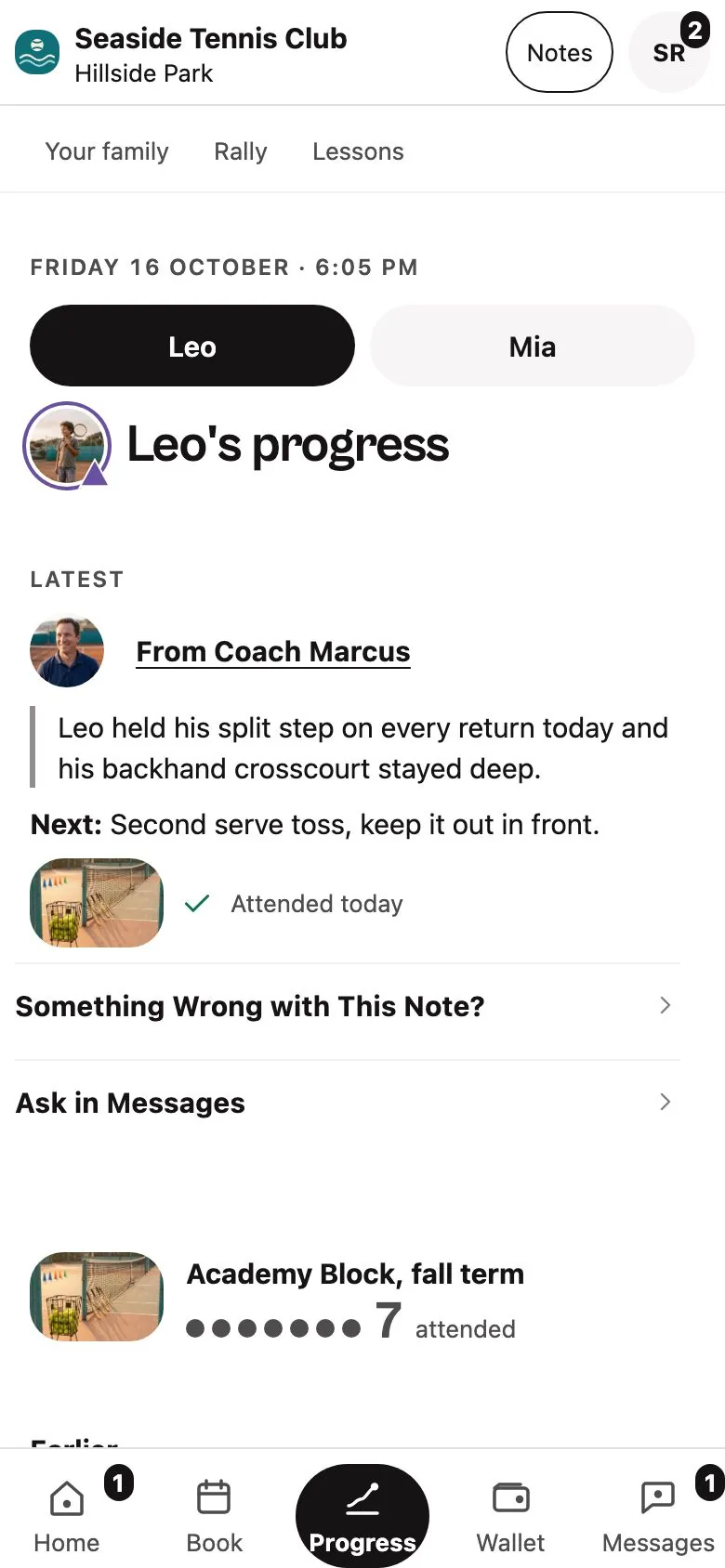
Notes the coach has checked
A session note reaches the family only after the coach checks it and taps Share.
A person reads the hard ones
A message about safety, an injury, behaviour or a complaint always waits for a person.
Photos stay at the desk
Junior photos stay desk-only, and no photo is needed for check-in.
Safeguarding checks and final legal wording come before any youth-facing launch.
Where to start
Ask your parent or guardian to start with your club.
Your parent or guardian can ask the club’s front desk which family tools are available. For a question about your information, they can read the draft children’s privacy page or contact RacquetIQ privacy support.
Playing at a club?
Ask the front desk whether your club runs on RacquetIQ.
Run a club or coach on your own?
See the desk side: booking, payments, the waitlist and Rally, the assistant that drafts replies.